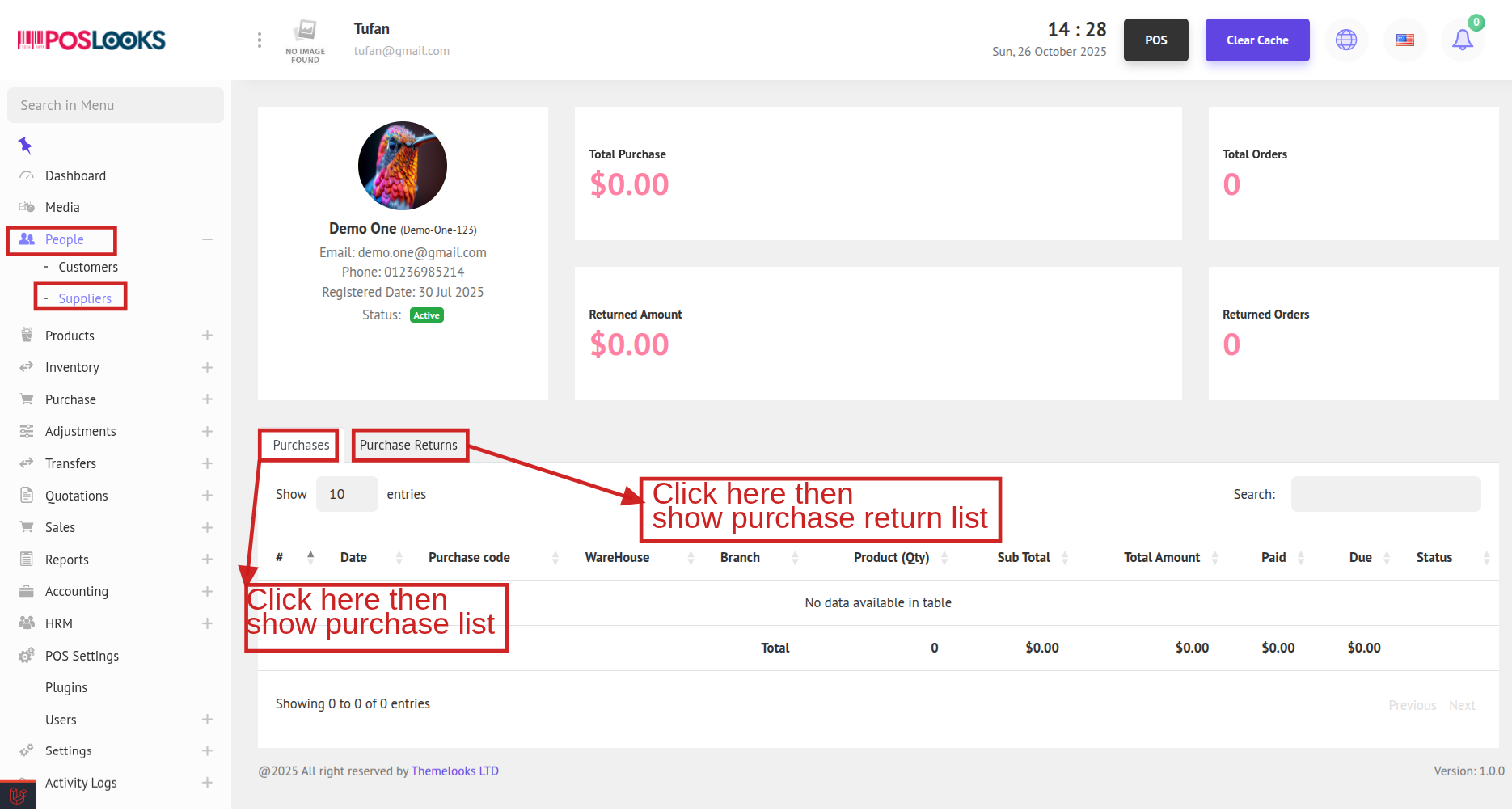
To see the Suppliers List, go to People -> Suppliers from the menu bar. You will be able to view all supplier on the Supplier List page.
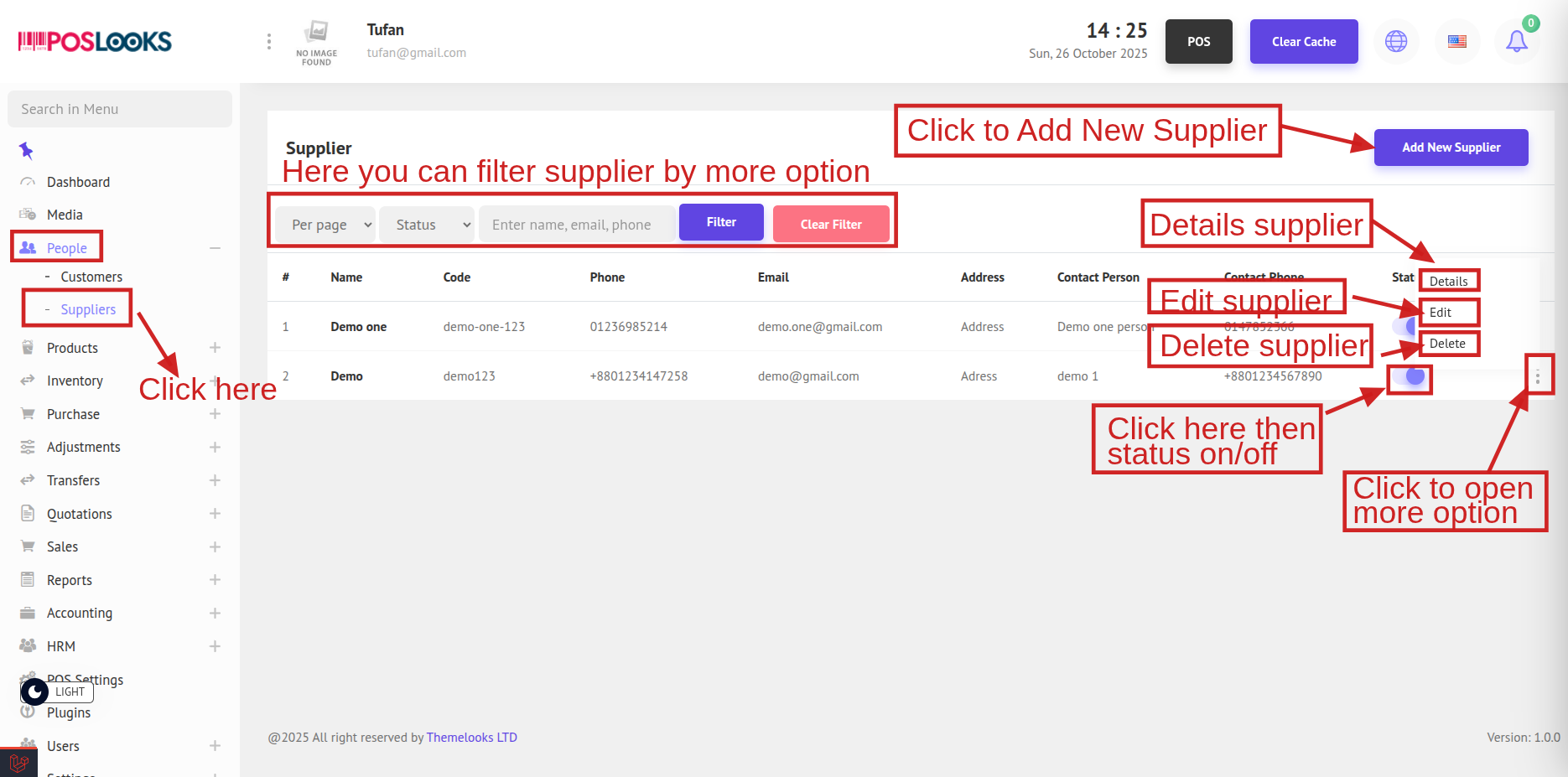
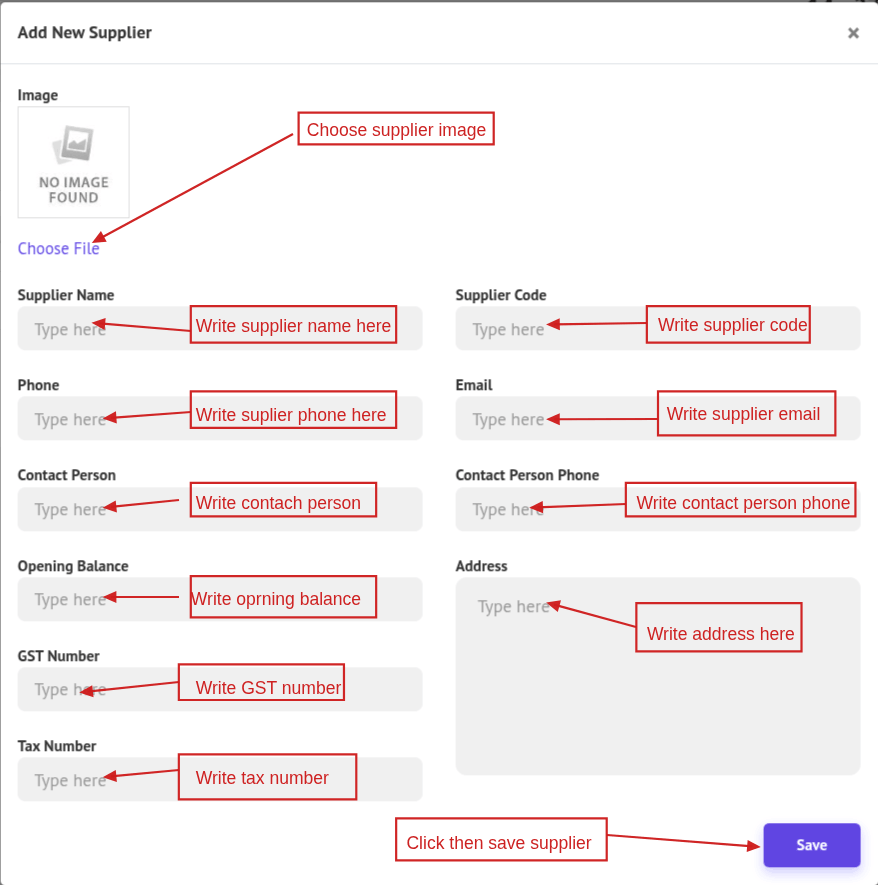
To add a new supplier, click Add New Supplier at the top-right side of the page. A popup modal will appear where you can enter the supplier information. After filling in the details, click the Save button.
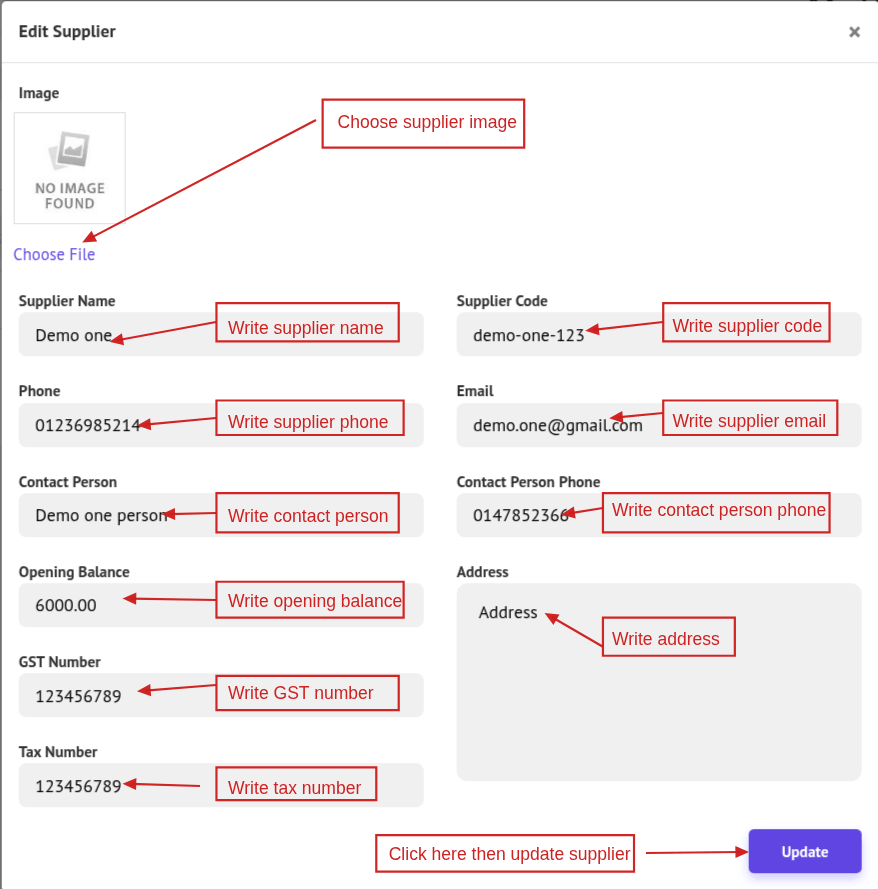
To edit supplier information, click the Edit button. A popup modal will appear where you can update the supplier details. After making the changes, click Save Changes. You can also delete a supplier by clicking Delete.
To view supplier details, click the Details button. You will be redirected to the Supplier Details page, where you can see the total number of orders, total purchase amount, and total returns made by the supplier.