Navigate to POS Settings, When the POS Settings page loads, click the Coupon tab from the tab bar. The system will open the Coupon page, showing all coupon entries.
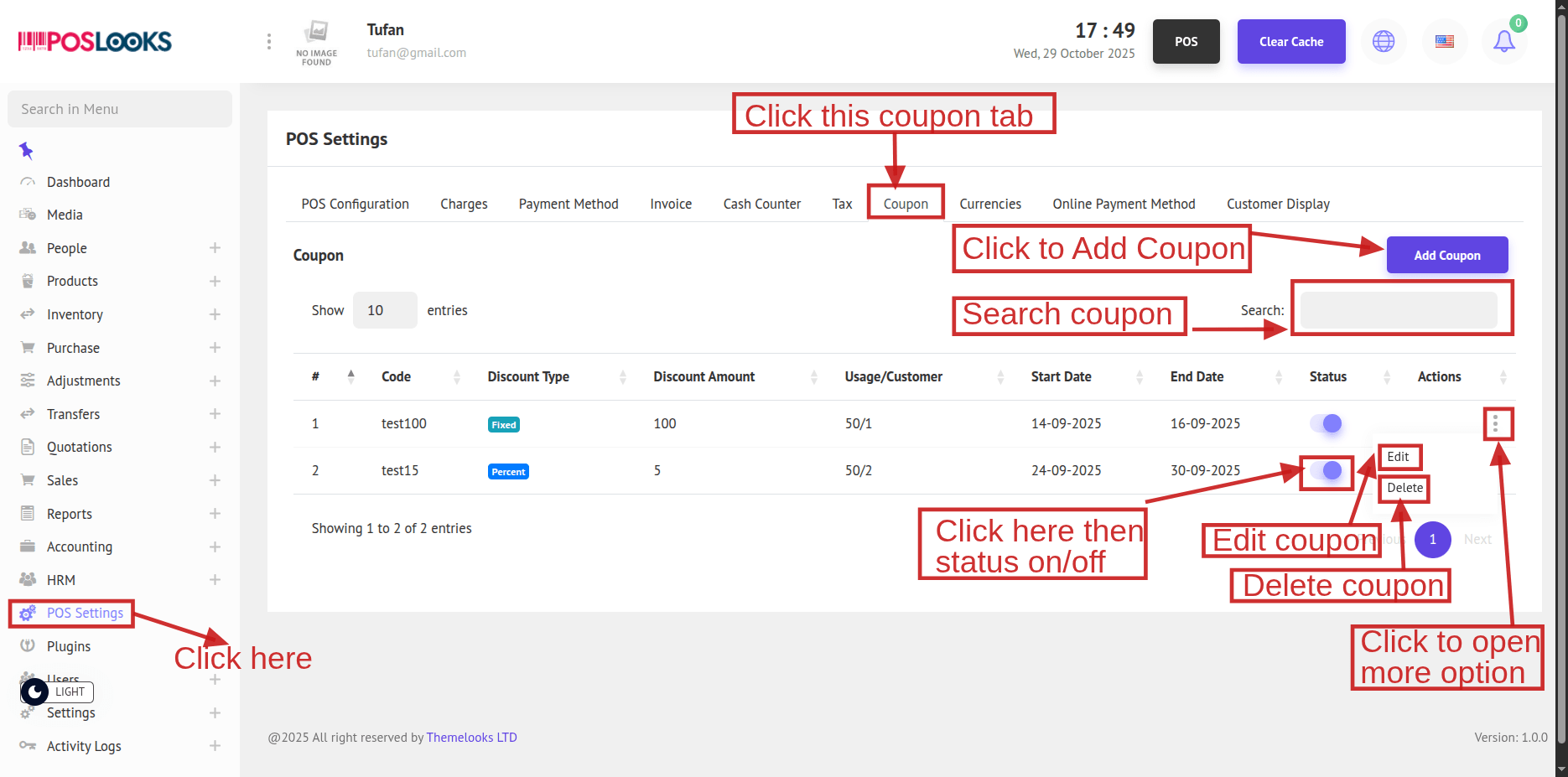
Click the Status toggle to turn a coupon status On/Off.
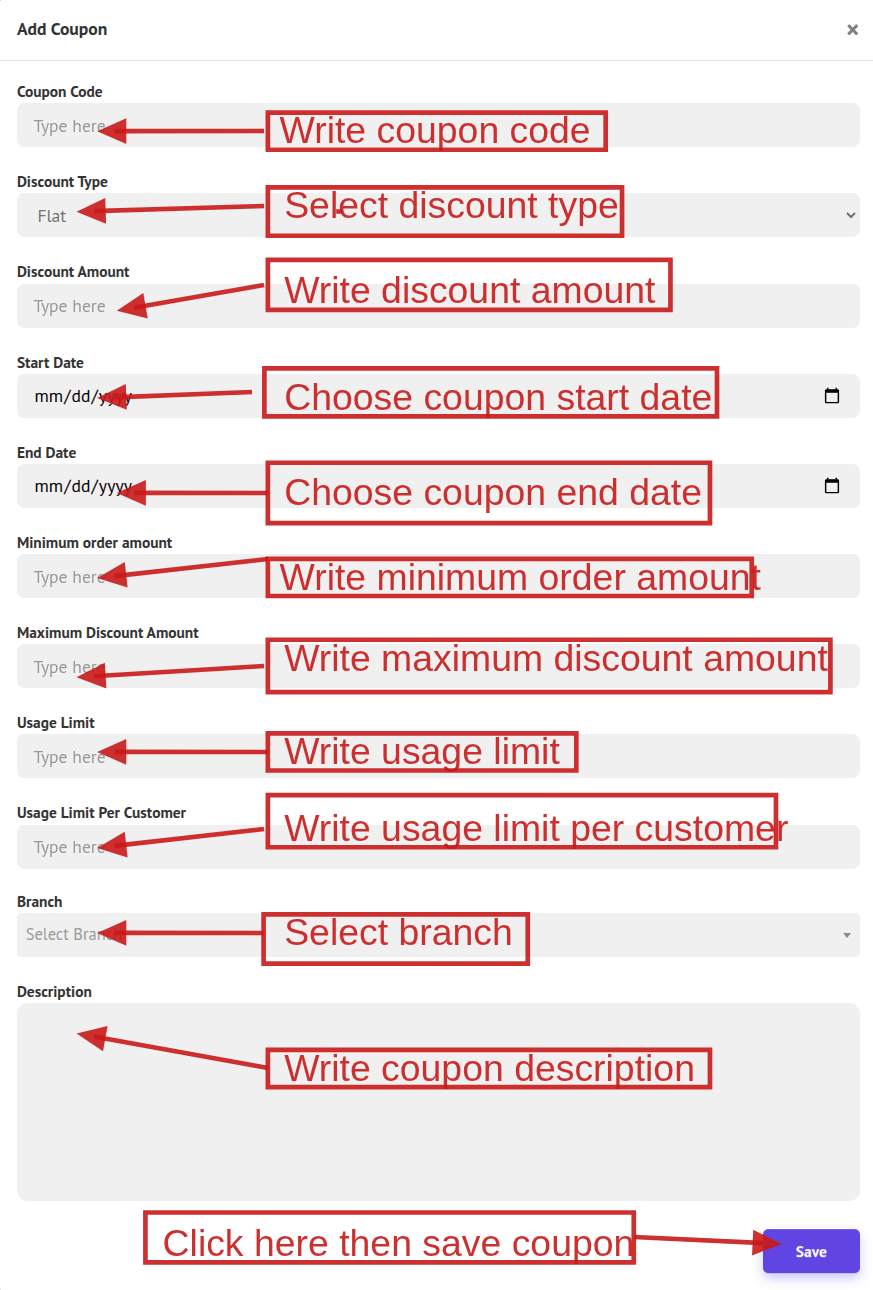
To create a new coupon, click Add Coupon. A popup window will open—complete all fields and click Save to create the coupon.
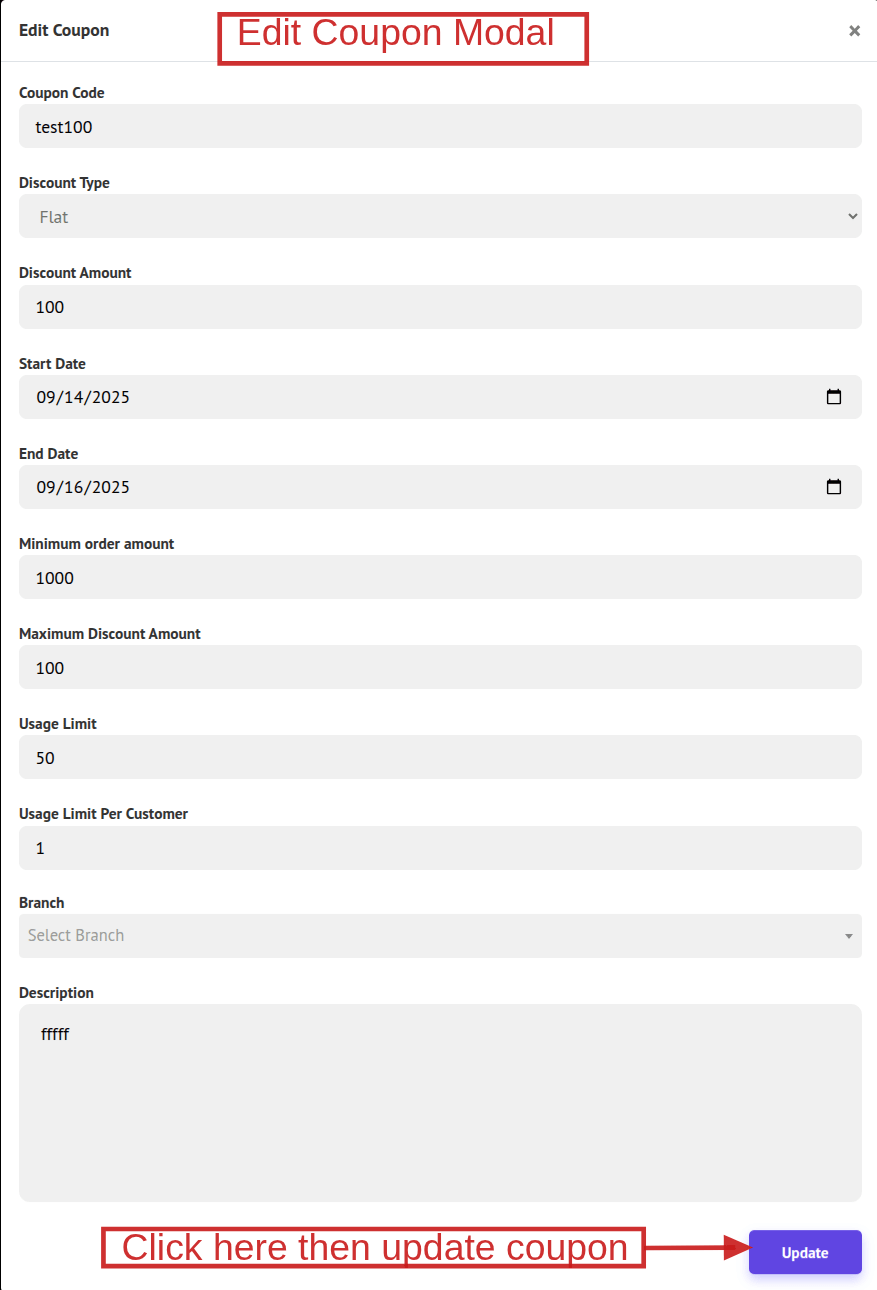
To update a coupon, click Edit, make the necessary changes in the popup, and click Update to save.
You can also delete the coupon by clicking Delete to remove it.