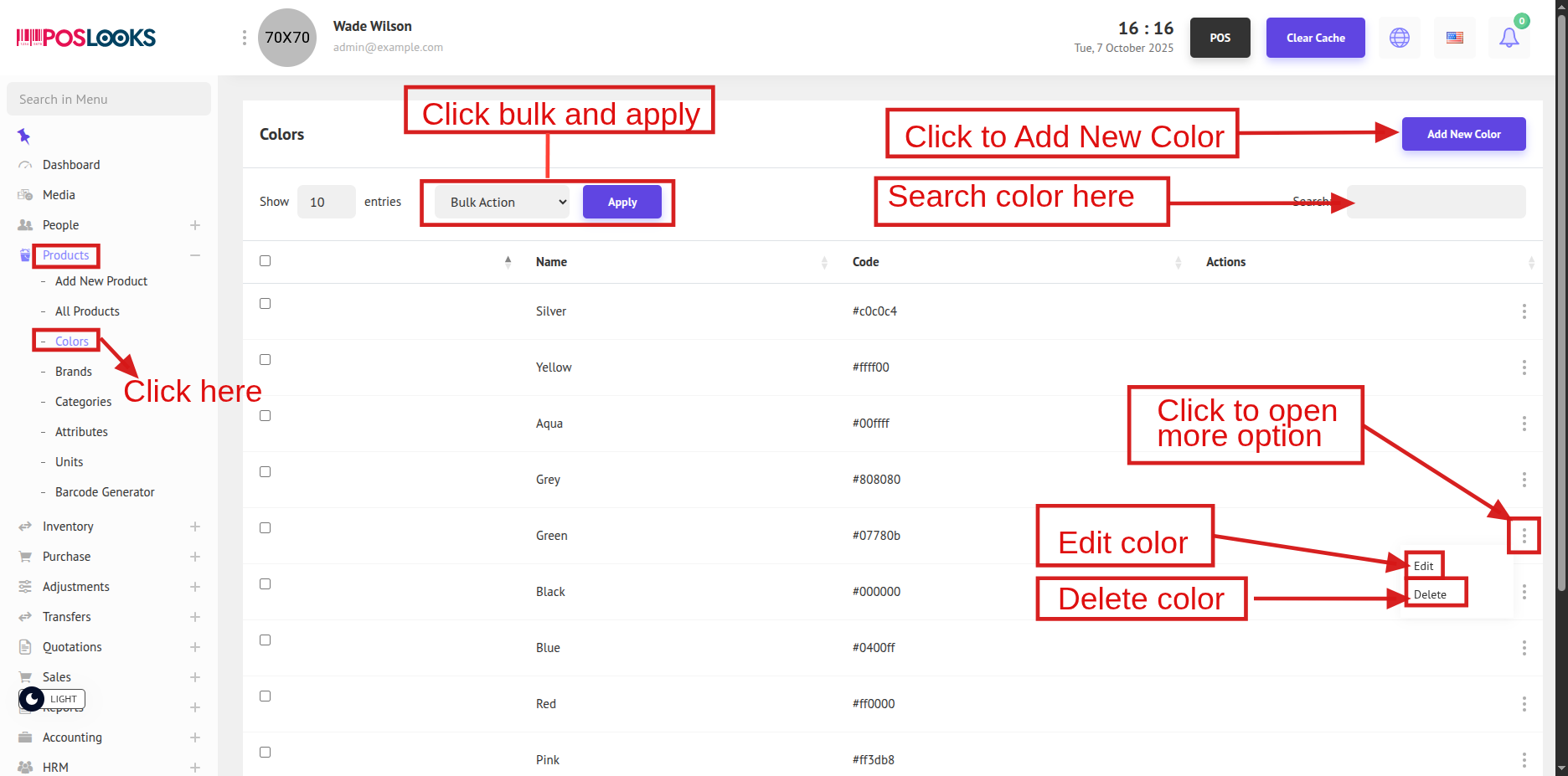
To view the list of Product Colors, navigate to Products -> Colors as shown below.
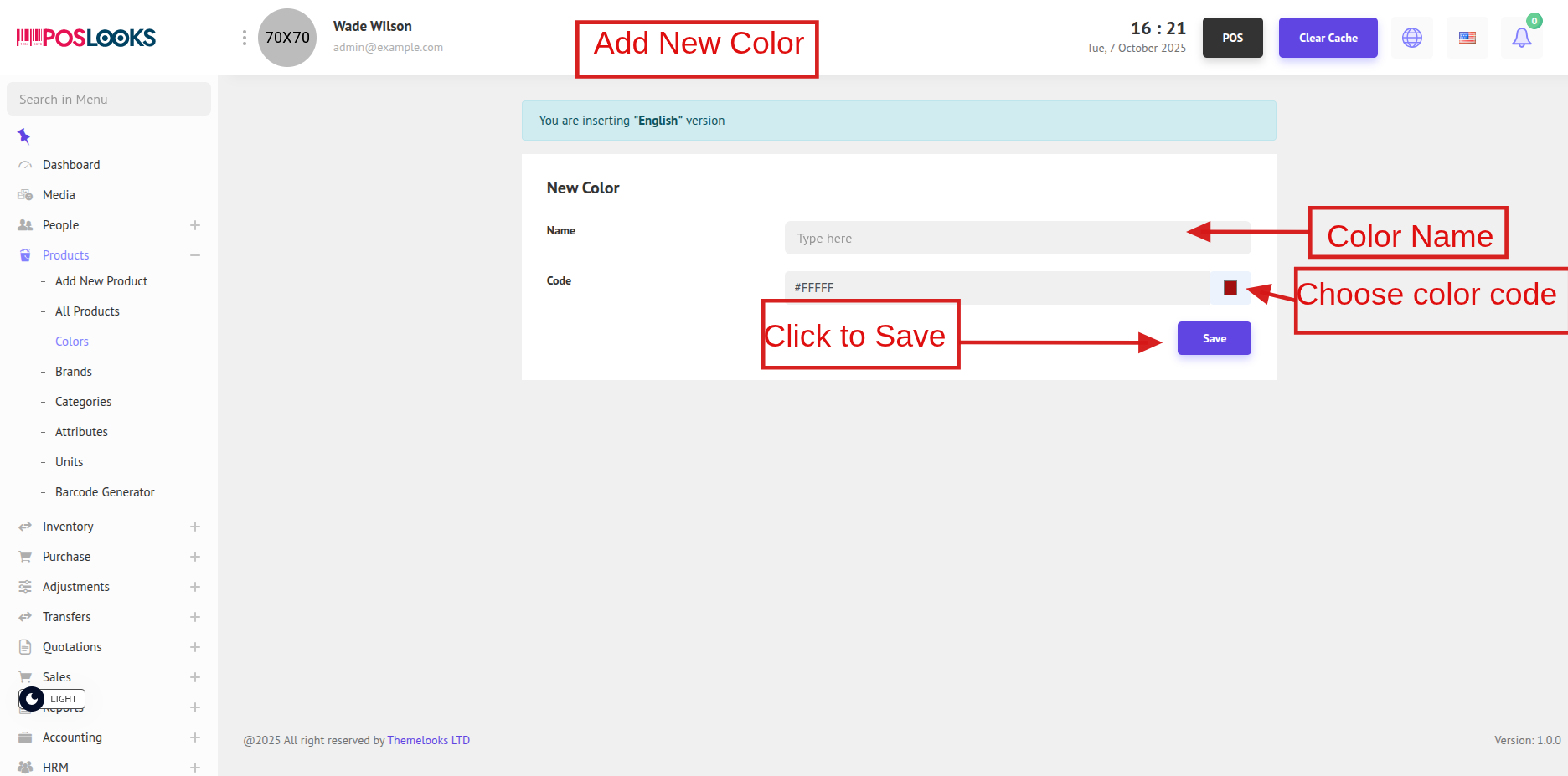
If you want to add a new product color, click Add New Color from the top menu. This will redirect you to the page where you can create a new color entry.
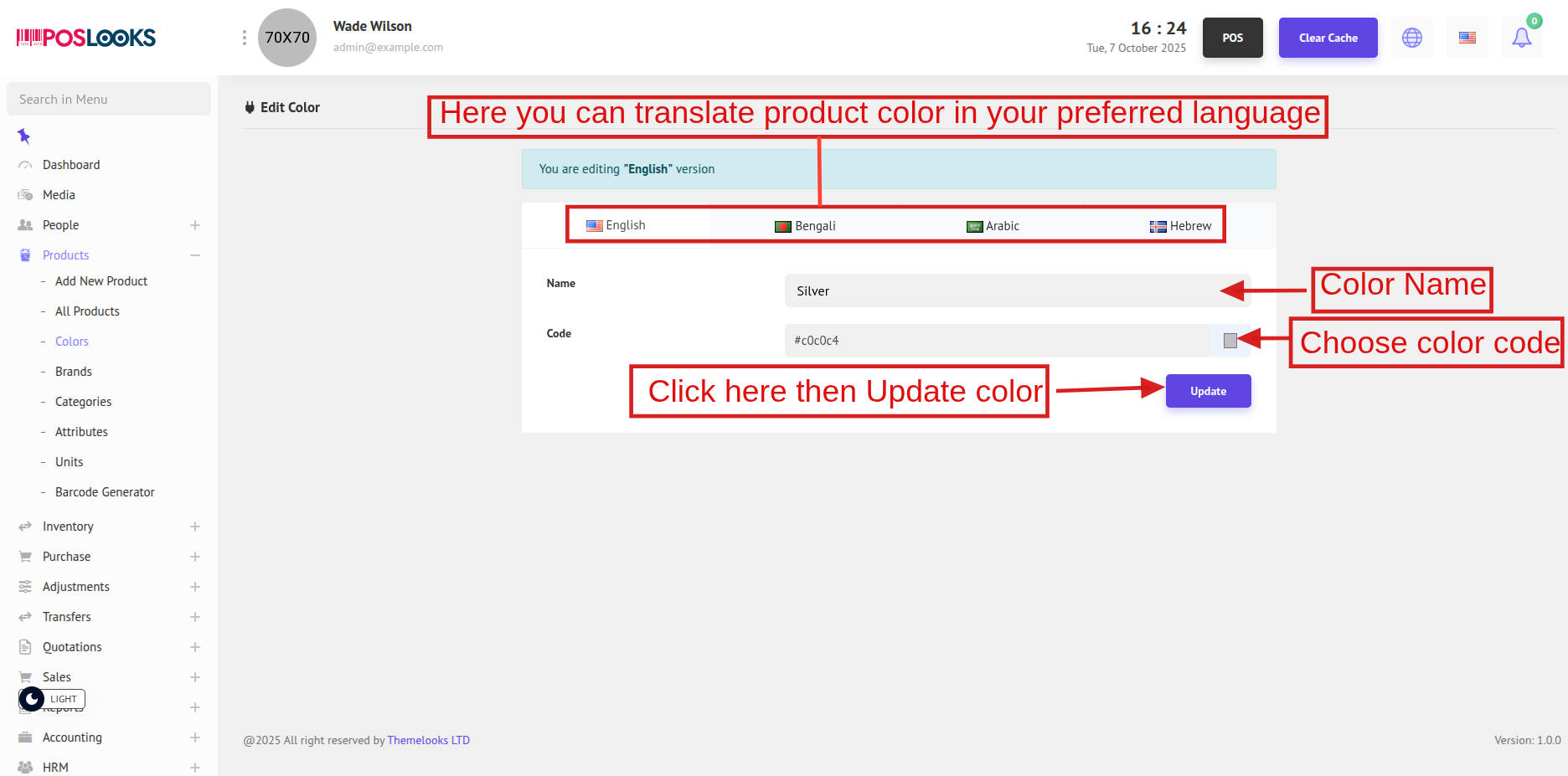
To update a color, click Edit from the Color List page. You will be redirected to the Edit Color page to modify the color details.