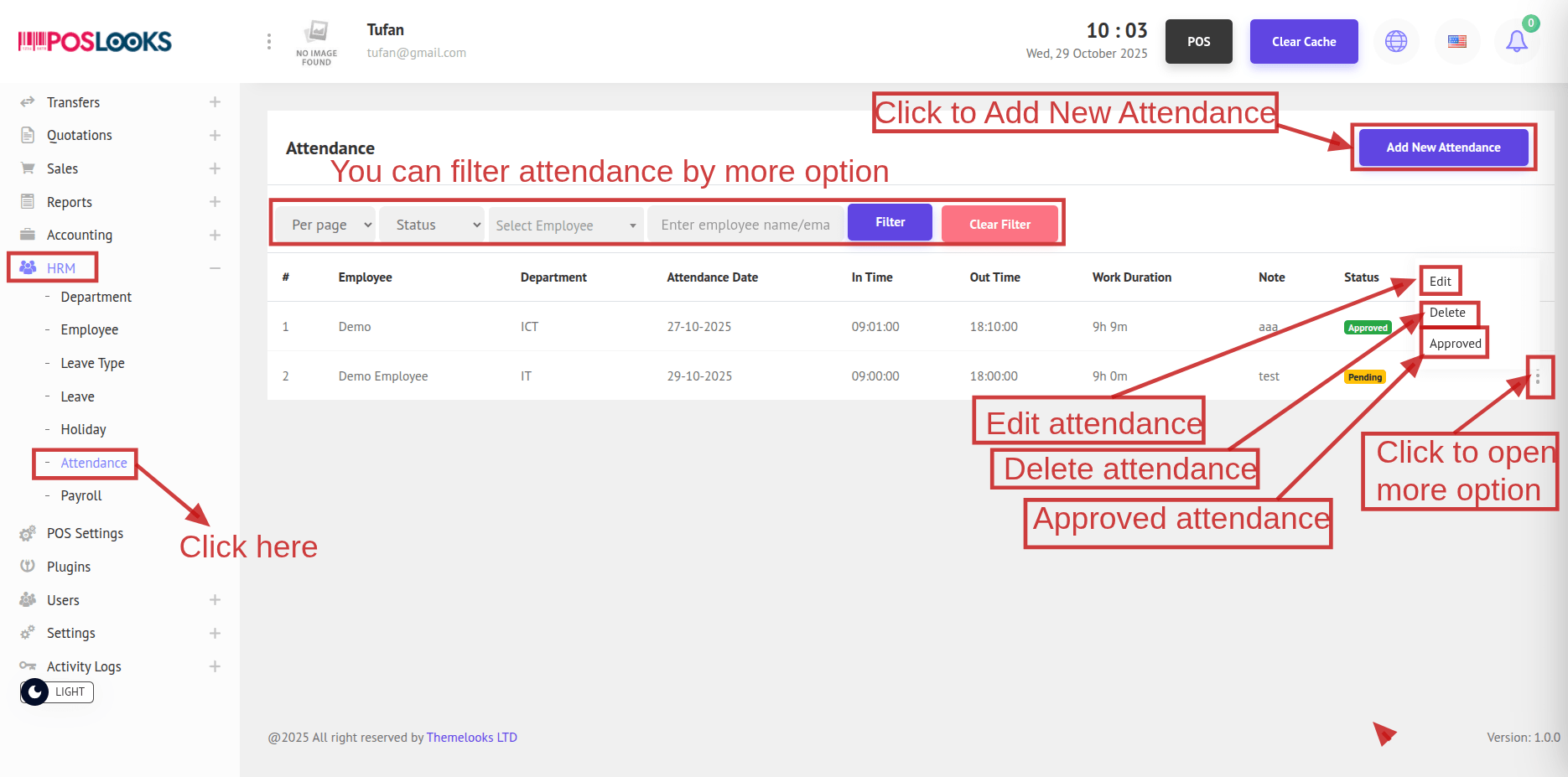
From the menu bar, select HRM -> Attendance. This opens the Attendance page showing all attendance records.
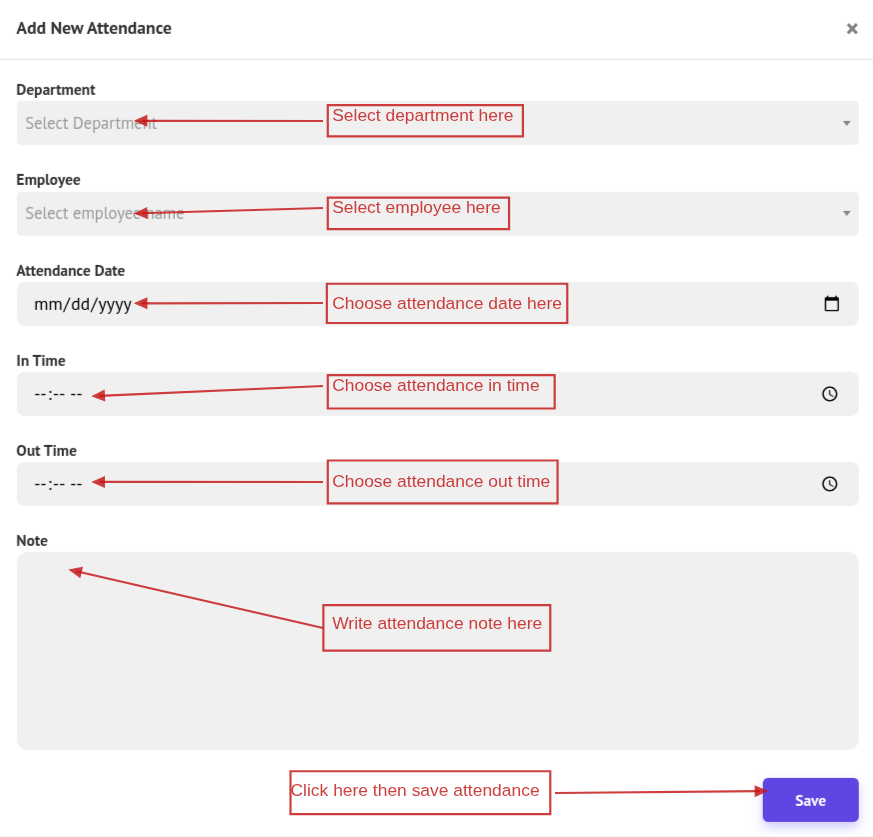
To create a new attendance record, click Add New Attendance. In the popup, fill in the required fields and click Save.
Note: If Department or Employee is not available, create those first. Once added, you can create the attendance record.
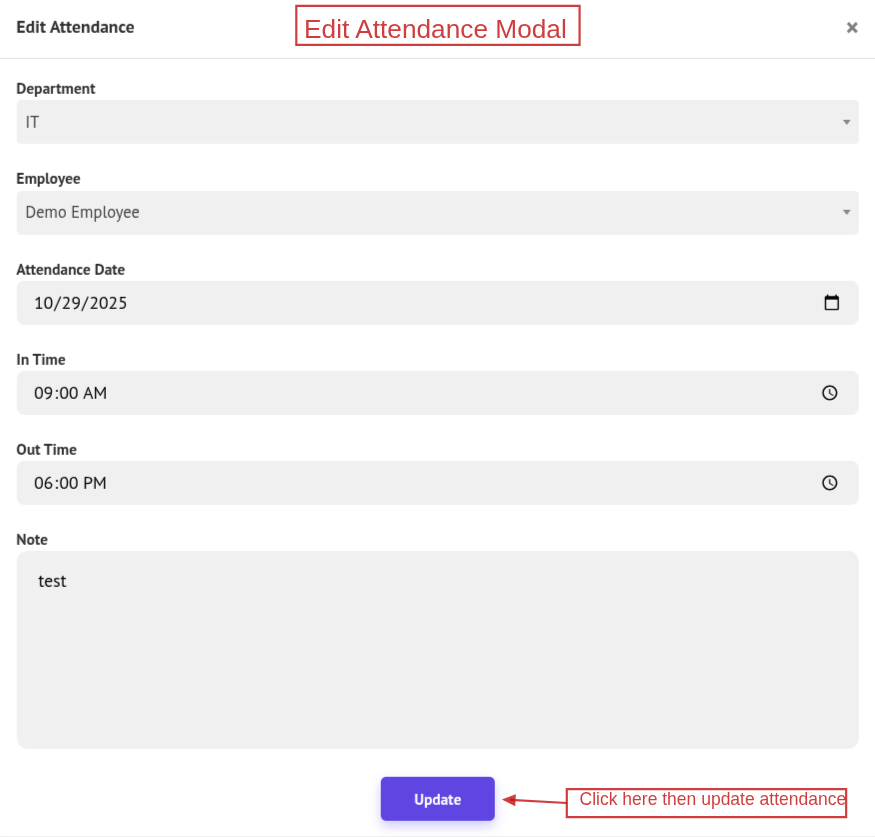
To update an attendance record, click Edit, make the necessary changes in the popup, then click Update.
To delete a attendance record, click Delete to remove it.
Note: Approved attendance cannot be deleted.
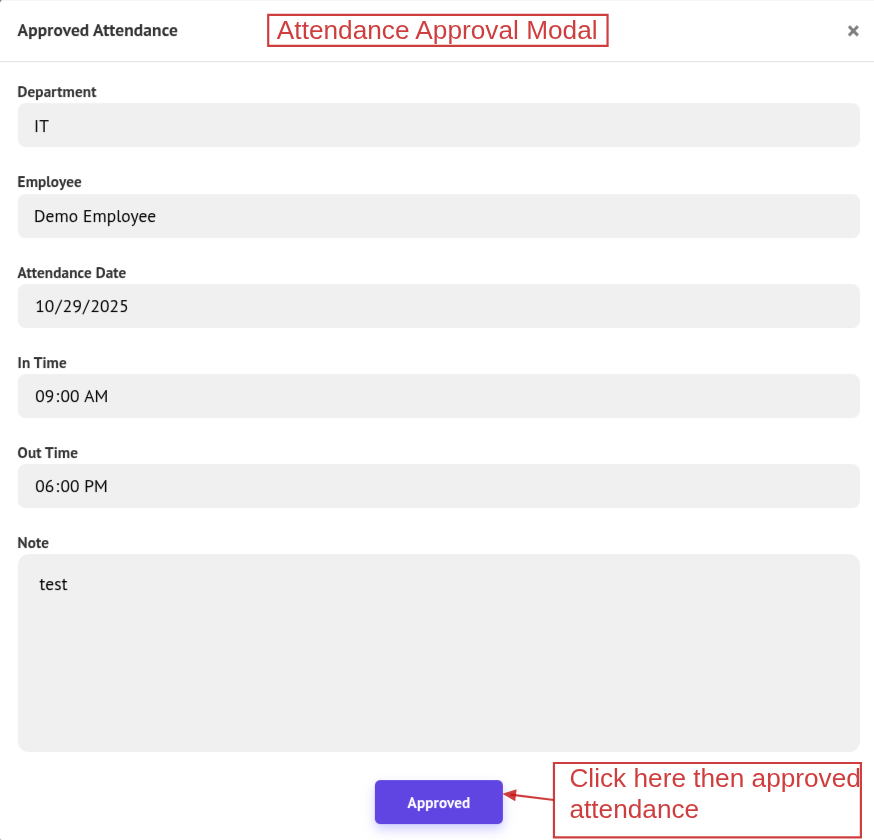
The Approve button is visible only when the leave status is Pending. Click Approve to open a popup showing the attendance details. To proceed, click Approve in the popup; otherwise, close the modal.