
You can configure Media Settings as you like. Go to Settings > Media Settings.
- File Storage: In this section, you can select a file storage (Local, Amazon s3)
- Placeholder Image: In this section, you can set a media placeholder image.
- Enable/Disable Watermark: In this section, you can enable or disable on watermark image.
- Watermark Image: In this section, you can set the watermark image.
- Watermark Image Position: In this section, you can set the watermark image position.
- Watermark Image opacity(%): In this section, you can set watermark image opacity in %.
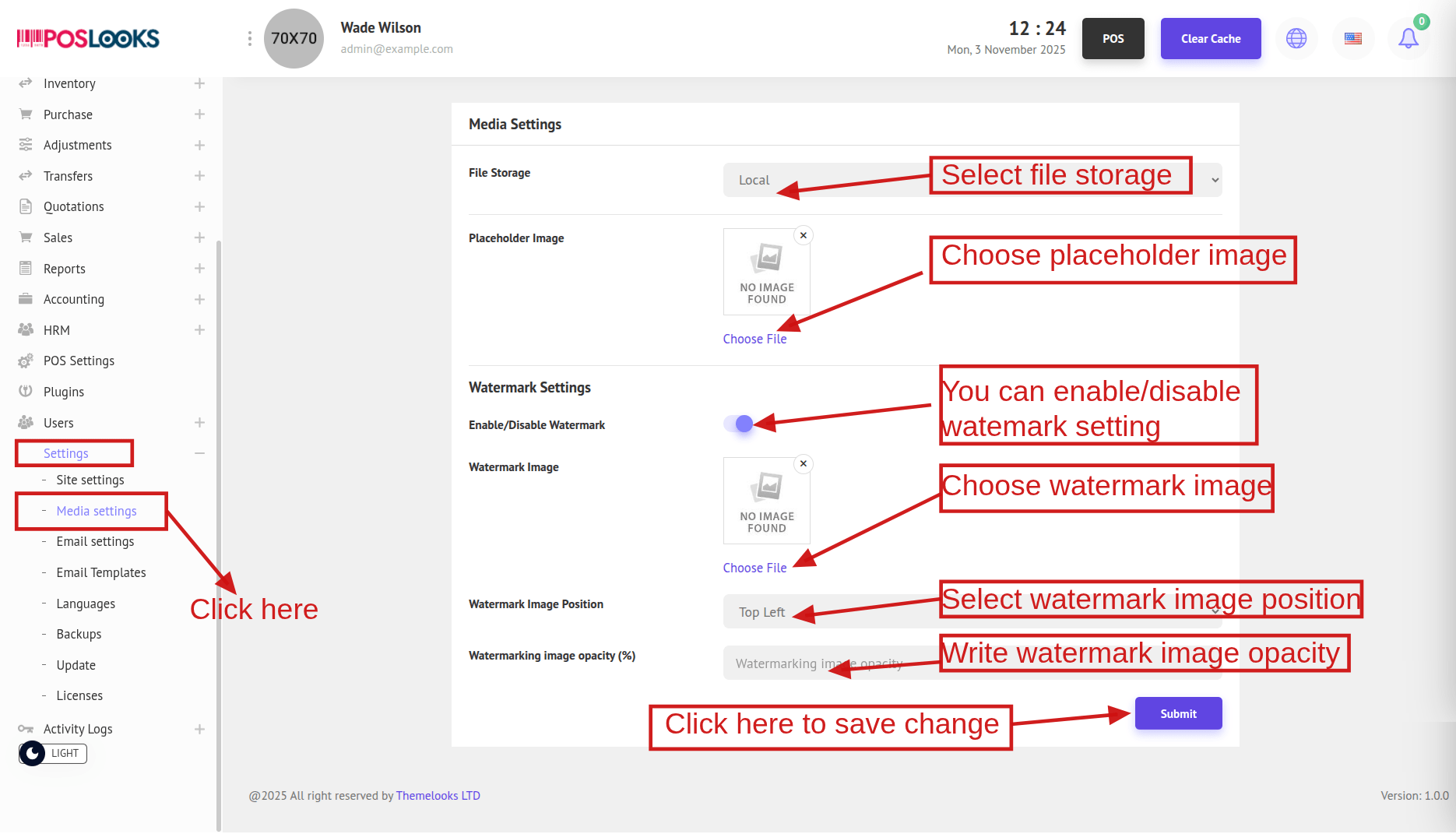
After that, click Submit to save your changes.